Free Government Phone: How to Qualify & Apply (2026)
Anúncios
Staying connected is not a luxury anymore.
For many households, a working phone means job interviews, school updates, telehealth, and safety in emergencies.
Anúncios
If money is tight, the “free government phone” benefit can be a real lifeline when you know where to look and how to apply.
Free Government Phone: What It Really Means in 2026
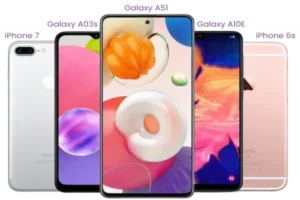
When people say “free government phone,” they usually mean a phone plan discount through the Lifeline program.
Anúncios
Some wireless companies choose to include a free phone or a discounted device as part of their Lifeline offer.
That device offer is a company choice, not a guaranteed promise from the government.
The government benefit is the monthly Lifeline discount that lowers the cost of phone or internet service.
In other words, the program helps pay for service, and many providers make the deal sweeter by bundling a phone.
This guide shows you the safe, official way to qualify and apply, so you do not waste time on sketchy “instant approval” pages.
The benefit is real, but the details depend on where you live
Lifeline is available nationwide, but participating providers and plan details can vary by state and territory.
Even when two people qualify, they may be offered different plans and phones based on local availability.
That is normal, and it is exactly why you should compare providers before you enroll.
Free Government Phone Eligibility: Who Can Qualify
You can qualify for a free government phone benefit through Lifeline in two main ways.
You can qualify by income, or you can qualify by participation in certain assistance programs.
The official eligibility standard for the traditional Lifeline pathway is typically 135% of the Federal Poverty Guidelines.
The exact income numbers change by household size and can be different for Alaska and Hawaii.
The safest move is to check the current table on the official Lifeline eligibility page before applying.
1) Qualify by income
If your household income is at or below the program limit, you may qualify.
<p“Household” is not just who lives at your address.
For Lifeline, a household generally means people who live together and share money and expenses.
If you live with others but do not share finances, you may be considered separate households at the same address.
2) Qualify through a government assistance program
You may qualify automatically if you or someone in your household participates in certain programs.
Common examples include SNAP, Medicaid, SSI, Federal Public Housing Assistance, and Veterans Pension or Survivors Benefit.
Eligibility is verified, so you will need proof if the system cannot confirm it automatically.
Lifeline Explained (The Program Behind the Benefit)
Lifeline is a federal program designed to make phone and internet service more affordable for eligible households.
If you qualify, your household can receive a monthly benefit of up to $9.25 toward eligible service.
If you live on qualifying Tribal lands, the monthly benefit can be up to $34.25.
You can use Lifeline for a mobile phone service or a home phone service, but not both at the same time.
You can also use Lifeline for internet service in some cases, depending on provider offerings in your area.
One discount per household is a core rule
You cannot receive more than one Lifeline benefit per household.
This is one of the most common reasons applications get flagged.
If someone else at your address already has Lifeline and you are a separate household, you may need a household worksheet to confirm that.
California, Oregon, and Texas may work a little differently
Most states use the National Verifier process for eligibility checks.
In California, Oregon, and Texas, the eligibility flow can involve state-specific processes.
If you live in one of these states, follow the official guidance for your location so you do not get stuck in the wrong application path.
The Truth About ACP in 2026 (So You Don’t Get Misled)
You may still see older blog posts promising a “free phone and tablet with ACP.”
As of 2026, the Affordable Connectivity Program (ACP) is not active the way it used to be.
ACP stopped accepting new applications in early 2024, and the last fully funded month was April 2024.
If a site promises “ACP approval today” and asks for sensitive data or fees, treat that as a red flag.
In 2026, most people seeking a free government phone should focus on Lifeline instead.
Step-by-Step: How to Apply for a Free Government Phone
The fastest, cleanest way to apply is to separate the process into two simple stages.
First, you qualify through the official eligibility system.
Second, you pick a participating company and sign up for service.
Step 1: Gather your basics before you start
Doing this first can save you hours.
- Your legal name as shown on official documents.
- Your date of birth.
- Your home address (not a P.O. box).
- The last 4 digits of your Social Security Number, or a Tribal ID number if applicable.
- Your proof documents if automatic verification fails.
Step 2: Apply through the official eligibility pathway
You can apply online for the fastest decision.
You can also apply by mail if you prefer paper forms.
Online applications typically move quicker because document uploads are immediate.
Step 3: If asked, upload or mail your proof documents
Sometimes the system can confirm eligibility instantly through database checks.
Sometimes it cannot, and that does not mean you are denied.
It simply means you must provide proof for manual review.
Step 4: Wait for the decision
Some applications are approved within minutes.
Others take longer if manual review is needed.
If you are asked for more information, respond quickly to avoid delays.
Step 5: Choose your Lifeline provider and enroll
After you are approved, you choose a phone or internet company that participates in Lifeline in your area.
This is where you compare coverage, plan details, and whether they offer a free phone or BYOP support.
Not all companies provide a free phone, so do not assume the first option is the best option.
Step 6: Receive your device or SIM and activate service
Many providers ship a phone or a SIM card once enrollment is confirmed.
Activation steps vary by company, but usually include inserting the SIM, powering on, and following prompts or calling support.
Keep your enrollment confirmation and any shipping emails until everything works.
Documents You’ll Need (and How to Avoid Delays)
If your eligibility cannot be confirmed automatically, you will need to show proof.
Most delays happen because documents are blurry, expired, or do not match the application details.
Proof of identity
You may need to provide a valid government, state, or Tribal ID.
Make sure the name matches the name you used on the application.
Proof of program participation
If you qualify through SNAP, Medicaid, SSI, or another program, you may need a benefit letter or official document.
A participation card may help in some cases, but official letters are usually stronger.
Proof of income
If you qualify by income, you may be asked for documents like pay stubs or a tax return.
Follow the official instructions for what counts as acceptable proof.
Proof of address
You may need documents that connect your name to your home address.
Examples can include a utility bill, lease statement, or similar official paperwork.
If your address is difficult to validate, you may be asked for additional address resolution steps.
Choosing a Provider Without Regrets
This step is where you protect your experience long-term.
A “free phone” is not helpful if the network is weak where you live.
And a big data promise is not helpful if support is impossible to reach when you need help.
Use an official provider search tool first
The best way to start is to search for participating Lifeline companies near you using an official tool.
Search by zip code and then open the full state list if you want more options.
Then confirm directly with the provider that they serve your exact address.
Compare these provider details before you enroll
- Coverage quality in your neighborhood and workplace.
- Plan details including talk, text, and data limits.
- Hotspot availability if you need to share data.
- BYOP support if you want to use your current phone.
- Customer support channels and response quality.
- Replacement policy for lost or damaged devices.
Examples of companies that publicly advertise Lifeline offerings
Some well-known Lifeline providers in many areas include brands like Assurance Wireless, SafeLink Wireless, and Life Wireless.
Availability changes by state, so always confirm participation and service area through official tools and the provider’s own enrollment page.
What Phone and Plan Will You Actually Get?
This is where expectations matter.
Most “free government phones” offered by providers are practical, entry-level Android smartphones.
They are designed to cover the essentials like calls, texts, navigation, email, and basic apps.
High-end devices like the newest iPhone models are not typical for free offers.
Common plan features
Most Lifeline wireless plans include talk and text, plus a data allowance.
Data amounts can vary widely by provider and state.
Some plans include hotspot access, but it may come from the same data bucket.
Many providers also offer paid upgrades if you want a better phone or more data.
Bring Your Own Phone can be the smartest option
If you already have an unlocked compatible phone, BYOP can mean a better device and less hassle.
You may only need a SIM card shipped to you.
Ask the provider about compatibility checks before you commit.
Keep Your Benefit Active (Rules That Catch People Off Guard)
Getting approved is only the first win.
Keeping your benefit is what protects you month after month.
Use-it-or-lose-it rule for free service
If your Lifeline service is free, you generally must use it at least once every 30 days to keep it active.
Usage can include making a call, sending a text, or using data, depending on provider policy and program rules.
If you do not use it, you may receive a notice and then your service can be turned off.
Annual recertification
Each year, eligibility is checked to confirm you still qualify.
If the system can confirm you automatically, you may not need to do anything.
If it cannot confirm you, you will be asked to recertify, and you must respond by the deadline to avoid losing the benefit.
Update your address and details when life changes
If you move, update your provider promptly so your household status stays accurate.
If your name changes or your documents change, update your information to prevent verification issues later.
Avoid Scams and “Guaranteed Approval” Traps
Because Lifeline is a valuable benefit, scammers target applicants.
Your goal is simple: only use official pathways and reputable provider enrollment pages.
Common red flags
- They promise “guaranteed approval” without checking eligibility.
- They demand payment to “apply” or “skip the line.”
- They ask for full SSN when the official process often uses last 4 digits.
- They pressure you to act immediately with fear-based messaging.
- They cannot explain the one-per-household rule clearly.
How to stay safe
Apply through official Lifeline channels.
Use official provider search tools to find legitimate companies.
Never pay a random third party to apply on your behalf.
If you need help, use the Lifeline Support Center or your chosen provider’s official support options.
Special Situations You Should Know About
Some situations are common and totally fixable once you understand the rules.
These are the moments that confuse people most, so let’s make them simple.
If someone at your address already has Lifeline
You may still qualify if you are a separate household at the same address.
In that case, you may need a household worksheet to confirm separate household status.
This is especially common in multi-family homes, shared housing, or group living setups.
If you live on Tribal lands
Eligible households on Tribal lands may qualify for enhanced Lifeline support up to $34.25 per month.
There are also Tribal-specific qualifying programs that can help establish eligibility.
If you are a survivor seeking emergency communications support
Lifeline includes an emergency communications support option tied to the Safe Connections Act for qualifying survivors.
This pathway can use different financial hardship criteria, including income at or below 200% of the Federal Poverty Guidelines in certain cases.
This is a sensitive process, and the official survivor benefit instructions explain exactly what documentation is needed.
If this applies to you, use the official guidance so you do not have to explain your situation repeatedly to the wrong people.
FAQ: Free Government Phone Questions People Ask Every Day
Is the phone actually free?
The Lifeline benefit is a monthly discount on eligible service.
Many companies offer a free phone or a discounted phone as part of their Lifeline enrollment, but that part depends on the provider.
Can I keep my current phone number?
Many providers support number transfers, but you must ask before you activate the new line.
Porting rules and timing can vary, so confirm early to avoid losing your number.
Can I have Lifeline and a regular paid plan at the same time?
You can have other phone services, but you can only apply the Lifeline discount to one eligible service per household.
If you want to keep a paid plan, consider whether Lifeline should replace it or support a different eligible service type.
What if I get denied?
Most denials happen because proof is missing or information does not match official records.
Fix the mismatch, submit the right documents, and reapply if needed.
If you believe the denial is an error, follow the official steps for resolving it.
How long does it take to get the phone?
Approval speed depends on whether you are verified automatically or through manual review.
Shipping and activation depend on the provider once you enroll.
If you need a phone urgently, choose a provider known for faster shipping and responsive customer support.
Final Checklist: Get Approved Faster and Avoid Headaches
Use this checklist to apply once and apply right.
- Confirm you qualify by income or program participation.
- Apply through the official eligibility system online when possible.
- Upload clear documents if asked.
- Confirm household rules, especially if multiple people share an address.
- Use an official provider search tool to compare companies in your area.
- Pick a provider with strong coverage where you live.
- Activate your service and use it at least once a month if your service is free.
- Watch for annual recertification notices and respond on time.
Conclusion: Your Next Step to a Free Government Phone
If you qualify, Lifeline can reduce the cost of staying connected right now.
And with the right provider, you may also receive a free phone or an easy BYOP setup.
Take the process step-by-step, stick to official tools, and you will avoid the traps that waste time and personal information.
You deserve a phone that works when life happens.
And you deserve to get this benefit without stress, confusion, or scams.